
ST3GG
ST3GG: How an ordinary photo can carry a secret message to an AI
A toolkit that hides data inside ordinary files, and finds data that someone else has hidden. Both halves matter now that AI reads the files too.
What this means for you
A photo on your phone is a few million tiny colored dots. Each dot is stored as a number. Change one of those numbers by the smallest possible amount and the dot shifts shade so slightly that no human eye can tell. Do that across thousands of dots in a deliberate pattern and you have written a message into the picture. The photo looks the same. It still opens, still posts, still prints. It is also carrying a note.
That practice has a name, steganography, and it is old. People have hidden messages under wax, in the spacing of printed letters, and in microdots the size of a period. The difference from a code or a cipher is simple. A cipher scrambles a message so nobody can read it. Steganography hides the fact that there is a message at all.
ST3GG is a free toolkit that does this with modern files. It can hide data in images, sound files, documents, plain text and several other formats, using more than a hundred different methods. It also works in the other direction. Hand it a suspicious file and it runs through those same methods looking for anything tucked inside.
Why it matters now
For most of history a hidden message needed a human on the other end who knew where to look. That has changed. AI systems now read images, documents and web pages on our behalf, and they read them more literally than we do. Text that is invisible to you can be perfectly visible to the machine. So a picture or a document can carry instructions meant for the AI and never for the person who uploaded it.

Here is a scenario worth recognizing. You ask an AI assistant to summarize a document someone sent you. The page looks clean. Inside it, in characters your screen does not draw, is a line addressed to the assistant. Whether the assistant ignores that line or follows it depends on how well it was built and tested. Tools like ST3GG are how the people doing that testing create realistic hidden content, and how defenders learn what it looks like.
There is a gentler use too. Journalists, researchers and people living under surveillance have long used hidden writing to communicate safely. The same toolkit lets them see which methods survive being posted to social media, where images are routinely squeezed and resaved.
How to use it
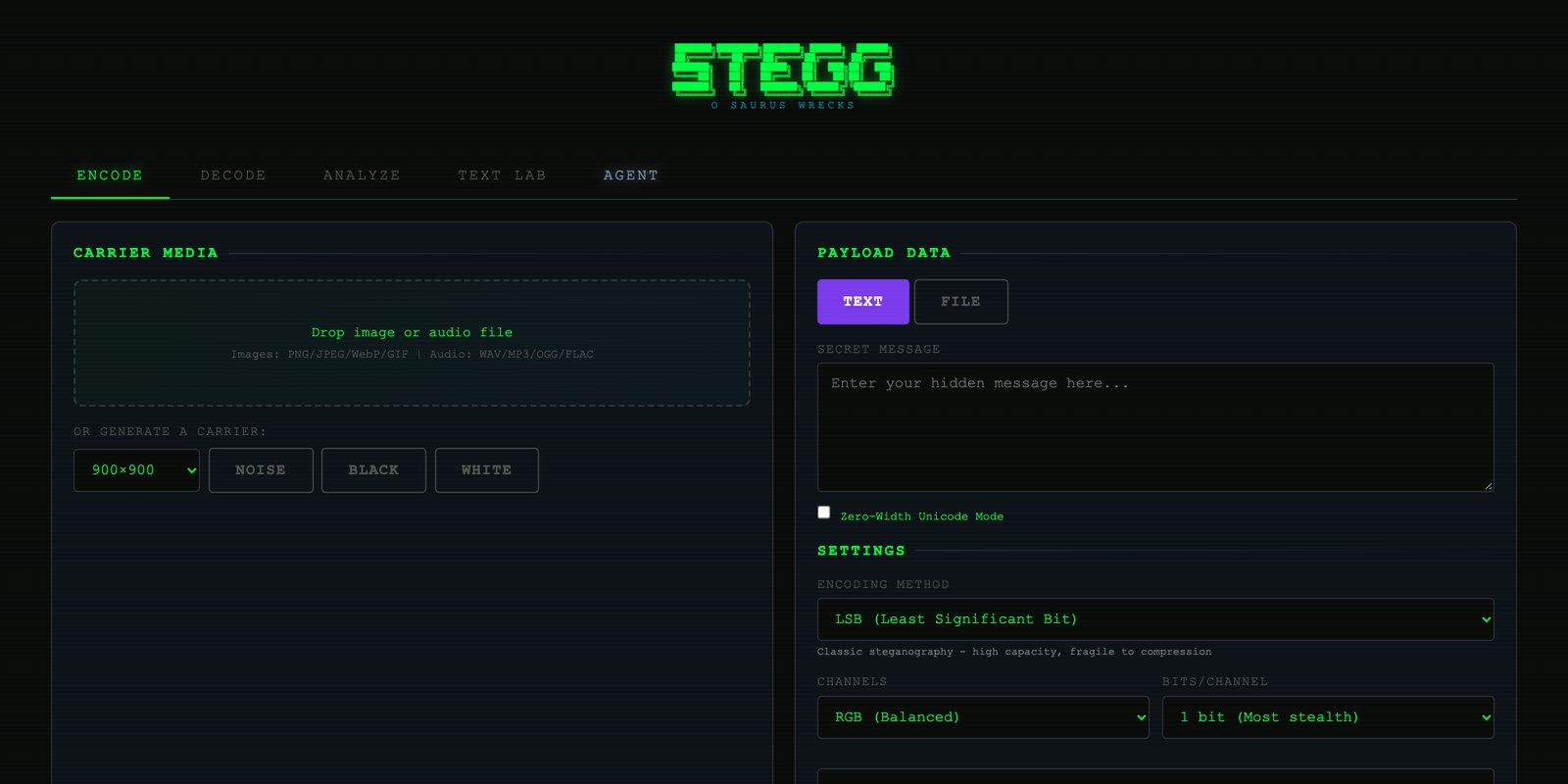
This is one of the easiest tools in the library to try. Go to ste.gg in a web browser. There is nothing to install and no account to make. The site runs entirely on your own device, so the files you load are not sent anywhere.
To see it work, pick any image, type a short message, and let it encode. You get back a picture that looks identical to the one you started with. Load that picture into the decode side and your message comes back out. Then try the analysis side on an ordinary photo of your own. It will usually find nothing, which is the expected answer and a useful one.
The full project, including the source code and a library of more than a hundred example files with data already hidden inside them, is on GitHub at the link above. You can browse it without an account. If you are comfortable with a command line, it also installs as a small program on your computer.
One note on good manners. Hiding a message in your own picture is harmless. Using hidden content to slip something past a system or a person who has not agreed to be tested is a different matter. The project is built for people checking their own defenses, and it says so.
What it is
ST3GG is an open-source steganography suite covering encoding, decoding and detection across images, audio, text, documents, archives, code files and network captures. It ships in two forms: a static browser application (hosted at ste.gg, 100% client-side, no server) and a Python package, stegg, with a CLI, a terminal UI, a web UI and an MCP server for agent use. The project’s stated rule is symmetry: every technique that encodes also decodes, and every attack surface is treated as a detection surface.
How image encoding works
The base technique is least-significant-bit (LSB) embedding. Each pixel channel is an 8-bit value. Overwriting the lowest bit changes the value by at most one step out of 256, which is below visual threshold, and yields one bit of payload capacity per channel per pixel. ST3GG generalizes this along three axes.
- Channel selection. Fifteen presets across R, G, B and alpha, alone or in combination, so the payload need not sit where a default scanner looks.
- Bit depth. One to eight bits per channel. Higher depth raises capacity and raises visible and statistical distortion with it. Fifteen presets by eight depths gives 120 configurations.
- Ordering. Four strategies: sequential, interleaved, spread and randomized. Spreading the payload across the image lowers local statistical anomalies.
Capacity follows directly: width × height × channels × bits per channel, less header overhead.
Surviving compression
LSB data does not survive lossy re-encoding, which is what most social platforms do to uploads. ST3GG therefore includes frequency-domain modes. Its F5 mode embeds in quantized JPEG coefficients, the values that remain after compression has already discarded detail, and the project reports that this survives social-media re-encoding. A separate DCT mode is described as designed for compression resistance. The wording is the project’s own, and the two claims are of different strength.
Named modes
- SPECTER, a channel cipher in which the payload hops between color channels according to a key.
- Ghost Mode, which combines AES-256 encryption, bit scrambling and noise decoys.
- Matryoshka, recursive nesting of one carrier inside another, up to 11 layers.
Beyond images
Text and Unicode methods include zero-width characters, homoglyphs, variation selectors and whitespace encoding. Document and archive methods include metadata fields and polyglot files, meaning a single file that is valid as two formats at once. Network methods place data in protocol fields such as DNS query names or packet sequence numbers. The repo carries 109 pre-encoded example files as a reference and test set.
Detection: ALLSIGHT
The analysis engine is the defensive half. It identifies file types from magic bytes, then applies more than 20 detection functions: chi-square analysis of LSB distributions, bit-plane entropy, histogram analysis, signature and header scanning, metadata inspection, Unicode anomaly checks and packet-capture parsing. A smart-decode pass tries the 120 channel and depth configurations automatically. An optional AI agent can run every decoding method that applies to a given file type.
| Browser app (encode, decode, analyze) | stable |
| Python CLI, TUI, web UI, MCP server | stable |
| F5 mode through social-media recompression | reported |
| DCT mode compression resistance | by design |
The relevance to AI is direct. Vision models and agents ingest files whole, including channels and characters a human reviewer never sees. A toolkit that generates every known carrier is also the test set for whether a pipeline notices them.
$ stegg encode image.png "a short message" -o out.png
$ stegg decode out.png
$ stegg analyze suspicious.png --full
Scope and use
The README describes the tool as dual-use and names its audiences: penetration testers and red teams, defenders and forensic analysts, CTF players, privacy researchers, academics, and teams testing how AI systems handle hidden content. The test suite is listed at 200+ automated detection tests in one place and 568 in another, so treat test counts as live-at-capture. Licensed AGPL-3.0. Use against systems and data you own or are authorized to test.